Locations & World Maps
Last updated Apr 5, 2026
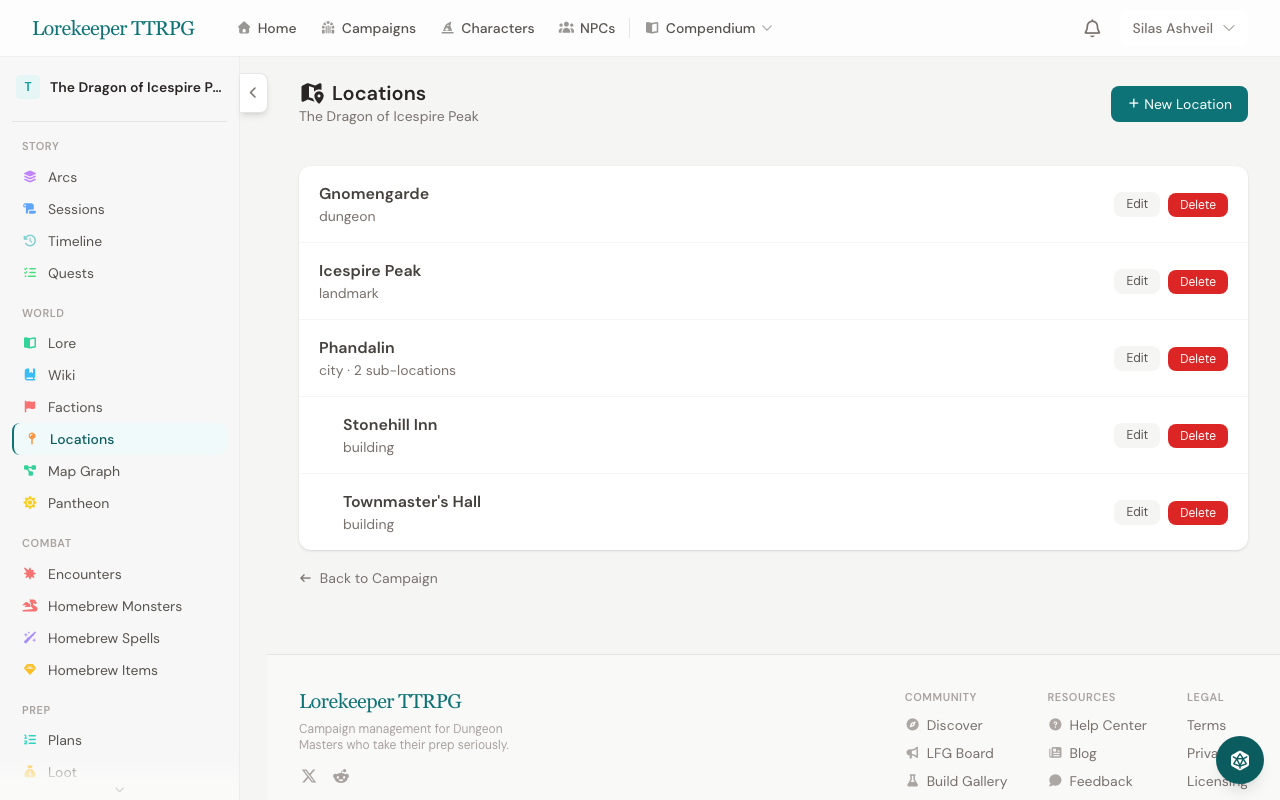 The Locations manager — locations can be nested as sub-locations of regions.
Creating Locations
- Go to your campaign → Locations
- Click New Location
- Fill in:
- Name and Type (city, dungeon, wilderness, tavern, etc.)
- Description — what players see
- DM Notes — private notes
- Parent Location — create a hierarchy (e.g., "The Yawning Portal" inside "Waterdeep")
- Map Image — upload a map for this location
Location Hierarchy
Locations can be nested to create a world structure:
Sword Coast (Region)
├── Waterdeep (City)
│   ├── The Yawning Portal (Tavern)
│   └── Castle Waterdeep (Landmark)
├── Neverwinter (City)
└── Phandalin (Town)
Child locations appear on their parent's page, making it easy to navigate your world.
Annotated World Maps
Upload a world or regional map and place interactive markers:
- Go to your campaign → Locations → World Map
- Upload your map image
- Click on the map to place markers
- Each marker can be linked to a Location record
- Filter markers by type (city, dungeon, wilderness, etc.)
Fog of War
DMs can draw fog of war regions on the map to hide unexplored areas from players. As the party explores, reveal regions to show new territory.
Marker Visibility
Markers can be set to DM-only — visible to you but hidden from players. Useful for marking secret locations, hidden dungeons, or future encounter sites.
Location Relationship Graph (Map Graph)
The Map Graph visualizes how your locations connect. Access it from the campaign sidebar under World > Map Graph.
Add relationships between locations (roads, rivers, trade routes, political ties, etc.) using the form above the graph. The visual graph shows nodes for each location connected by color-coded edges. See NPC & Location Relationship Graphs for full details on graph interactions.
Player Portal
Players see locations and maps through their campaign portal, but only locations and markers you've made player-visible.
Was this article helpful?
Thanks for the feedback!