Character Build Gallery
Last updated Mar 19, 2026
What is the Build Gallery?
The Character Build Gallery is a public showcase where players share their character builds. Browse it for inspiration, see what builds are popular, or share your own creations.
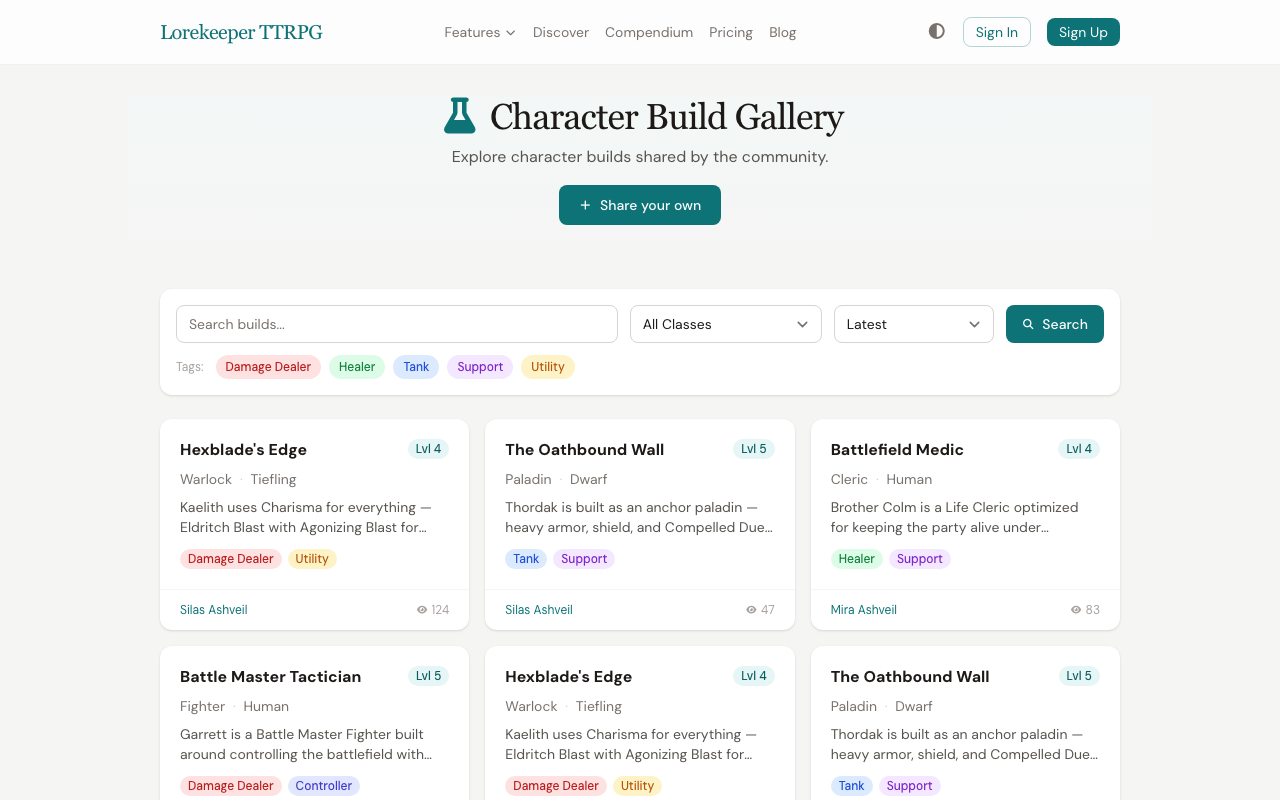 The Build Gallery — browse community builds filtered by class and role tags.
Sharing a Build
- Make sure your character is set to Public visibility (see Character Sharing)
- Go to Character Builds and click Share a Build
- Select the character you want to share
- Add:
- Title — a name for your build (e.g., "The Arcane Trickster Tank")
- Description — explain the build's strategy, key choices, and playstyle
- Tags — up to 5 tags for searchability (e.g., "tank", "support", "multiclass")
- Click Submit
Your build is now visible to everyone.
Browsing Builds
The gallery offers several ways to find builds:
- Filter by class — select a class to see builds for that class only
- Filter by tag — click a tag to filter
- Search — search by title or description
- Sort — order by Latest, Most Popular (by views), or Highest Level
Managing Your Builds
Delete a build from its detail page. This removes the gallery listing but doesn't affect your character.
Was this article helpful?
Thanks for the feedback!