Account & Profile Settings
Last updated Apr 4, 2026
Settings Page
Access all your account settings from Settings in the navigation menu (click your avatar in the top right).
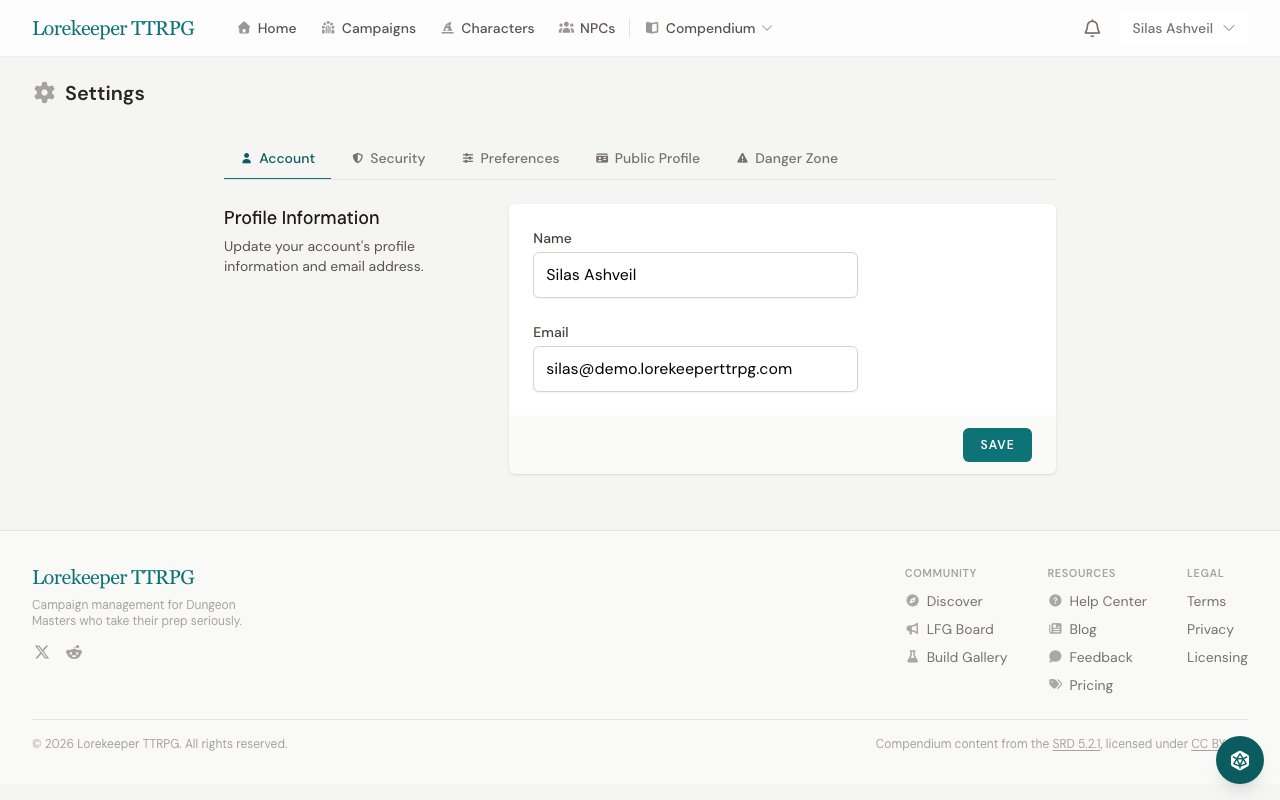
Profile
- Name — your display name across the site
- Email — your login email (changing it requires verification)
- Bio — a short description shown on your public profile
- Avatar — upload a profile picture
Preferences
- Dark Mode — toggle between light and dark themes
- Compendium View — choose table or card layout for compendium browsing
- Default HP Display — set the default monster HP visibility for your combats
Notifications
Control which emails you receive:
- Session Reminders — 24 hours before scheduled sessions
- Weekly Digest — summary of campaign activity
- Campaign Invitations — when someone invites you to a campaign
- Quest Updates — when quests in your campaigns change status
Security
- Change Password — update your account password
- Two-Factor Authentication — add an extra layer of security with an authenticator app (TOTP). We strongly recommend enabling 2FA.
- Browser Sessions — view and revoke active sessions on other devices
Subscription & Billing
Manage your subscription from the Billing page:
- View your current plan (Free, Adventurer, or Dungeon Master)
- Upgrade or downgrade your subscription
- View invoice history
- Update payment method
- Cancel subscription
Visit the Pricing page to compare plans.
Public Profile
Your public profile at /u/your-name shows:
- Your public characters
- Your character build gallery submissions
- Your reputation score and badges
- Your public campaigns
Was this article helpful?
Thanks for the feedback!